PM Chromebook Scheme
The Prime Minister’s Youth Chromebook Scheme 2026 aims to provide 500,000 refurbished Chromebooks to eligible students in Pakistan. The initiative is designed to improve access to digital learning and help talented students use technology for their education.
The scheme is being implemented by the Ministry of Federal Education and Professional Training and the Prime Minister’s Youth Program. According to the available information, TT Care Foundation has committed to supplying the devices under a letter of understanding.
Students should understand that eligibility requirements and registration procedures may differ by educational board and region. Applicants must check their board records and follow the instructions on the official registration portal.
PM Chromebook Scheme Eligibility Criteria 2026
The eligibility criteria depend on the student’s province or region and the applicable examination board.
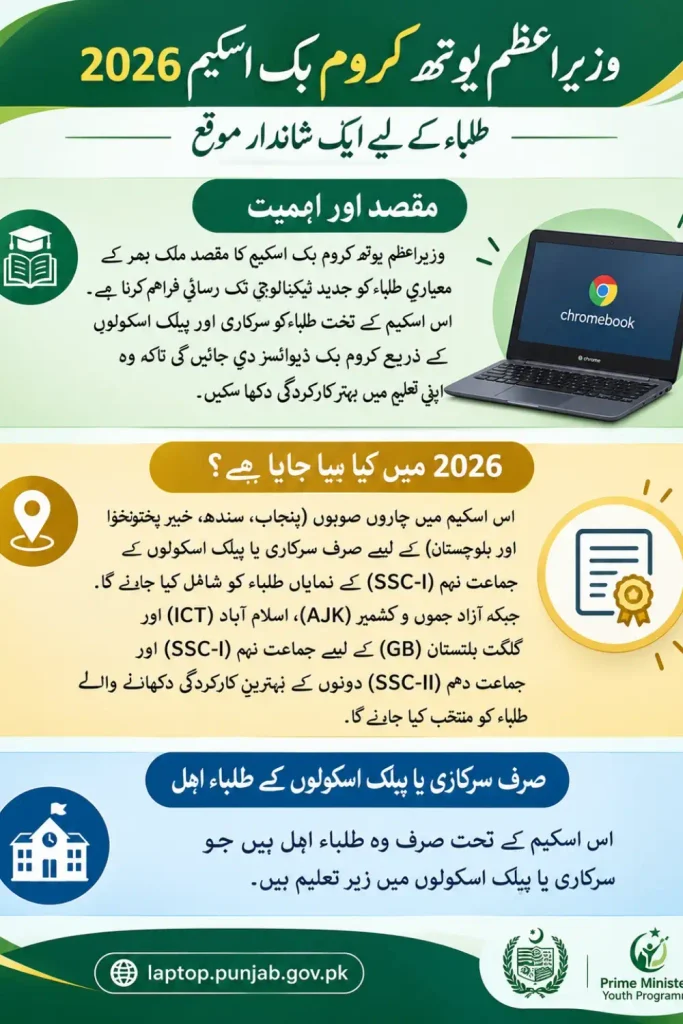
- Punjab, Sindh, Khyber Pakhtunkhwa and Balochistan: Top-performing Grade 9 students from government or public schools will be considered based on the Annual Examination 2026 results.
- AJK, Islamabad Capital Territory and Gilgit-Baltistan: Top-performing students of Grade 9 and Grade 10 from government or public schools will be considered based on the Annual Examination 2026 results.
- School requirement: Students must be enrolled in an eligible government or public school under the published scheme criteria.
- Academic performance: Selection is based on examination results and merit within the relevant region and board.
- Result verification: Student records and examination results will be checked against information provided by the respective examination boards.
Some reports mention a minimum requirement of 50% marks and eligibility for certain private schools supported by provincial education foundations and registered madaris. However, these conditions should not be treated as universally applicable because the published registration instructions specify government or public school students for the relevant board categories. Students should follow the criteria displayed for their board on the official portal.
Province-Wise Chromebook Quota Distribution
The announced distribution plan covers 500,000 Chromebooks across Pakistan.
| Province or Region | Allocated Chromebooks |
|---|---|
| Punjab | 181,090 |
| Sindh | 85,925 |
| Khyber Pakhtunkhwa | 51,170 |
| Balochistan | 31,815 |
| Islamabad Capital Territory | 100,000 |
| Azad Jammu and Kashmir | 25,000 |
| Gilgit-Baltistan | 25,000 |
These figures represent the reported regional allocations. Students should not assume that every eligible applicant will receive a device, as final selection depends on merit, verification and the available quota.
School and Academic Stream Allocation
The reported distribution plan also describes separate allocations for schools, madaris and academic streams.
- School students: 80% of the relevant regional allocation is reportedly reserved for school students.
- Madaris students: 20% is reportedly allocated to students of registered madaris.
- Science stream: 70% of the school allocation is designated for science students.
- Arts stream: 30% of the school allocation is designated for arts students.
Applicants should confirm how these allocations apply to their specific board and category before submitting an application.
How to Register for the PM Chromebook Scheme
Students should use the official registration portal and complete the application according to the instructions provided there.
Step 1: Select Your Examination Board
Open the registration portal and select the educational board under which you appeared in the relevant examination.
Step 2: Enter Your Student Information
Enter the required identification details, such as your CNIC or B-Form number, roll number or registration number, together with your date of birth. Use the information exactly as recorded by your examination board.
Step 3: Verify Your Record
The portal checks the information against the student list provided by the relevant board. If your record appears, review your name, school details and examination marks carefully.
Step 4: Upload the Required Documents
Prepare clear copies of the documents requested by the portal. These may include your recent photograph, examination mark sheet, attested B-Form or CNIC copy, and your father’s or guardian’s attested CNIC copy.
Step 5: Review and Submit
Check every field and uploaded document before submitting the application. Save the reference number and download the application slip for future use.
The published instructions state that each student can apply only once and cannot personally change the submitted form afterward.
Documents Required for Registration
Keep the following documents ready before starting the application:
- Recent colour photograph: A front-facing photograph with a plain background, in JPG or PNG format, up to 300 KB.
- Examination mark sheet: Your SSC-I or SSC-II mark sheet, in JPG, PNG or PDF format, up to 300 KB.
- B-Form or CNIC copy: An attested copy in JPG, PNG or PDF format, up to 300 KB.
- Father’s or guardian’s CNIC: An attested copy in JPG, PNG or PDF format, up to 300 KB.
Follow the portal’s current upload instructions if the accepted formats or file-size limits change.
Important Notice for Sindh Students
Registration for students of Sindh is expected to open on the same portal after all examination boards in Sindh announce their Annual Examination 2026 results for Class 9.
Students should wait for the applicable result announcement and registration opening notice. They should avoid submitting incorrect details or relying on unofficial registration links.
What to Do If Your Record Is Not Found
If your record does not appear on the registration portal, try the following steps:
- Enter your roll number instead of your CNIC or B-Form number.
- Try your registration number as recorded by your examination board.
- Check your date of birth and other details for typing errors.
- If your record still does not appear, contact your relevant examination board for clarification.
Do not create a second application simply because the first search did not return your record.
Student Verification and Chromebook Delivery
Before final allocation, the authorities are expected to verify examination results, school enrollment and institutional affiliation.
The reported implementation plan includes courier delivery, a monitoring system to track device distribution and grievance committees to address complaints about selection, verification or non-delivery.
Students should retain their application reference number and slip because these may help when following up on their application or reporting a problem.
Frequently Asked Questions
Who is eligible for the PM Chromebook Scheme 2026?
Under the published board-specific criteria, top-performing Grade 9 students from government or public schools in Punjab, Sindh, Khyber Pakhtunkhwa and Balochistan will be considered. Grade 9 and Grade 10 students are considered in AJK, ICT and Gilgit-Baltistan.
How many Chromebooks will be distributed?
The scheme aims to distribute 500,000 refurbished Chromebooks to eligible students across Pakistan.
Can private school students apply?
The published registration instructions specify government or public school enrollment for the relevant board categories. Students from private schools should confirm their eligibility through the official scheme instructions rather than relying on general reports.
What should I do if my name is missing from the list?
Try searching with your roll number or registration number. If your record remains unavailable, contact your examination board.
Can I submit the application more than once?
No. The published instructions state that each student can apply only once. Review your details carefully before submitting the form.
When will Sindh registration open?
According to the notice provided, registration will open on the same portal after all Sindh examination boards declare their Annual Examination 2026 results for Class 9.
How can I check my application status?
Keep your reference number and downloaded application slip. Use the official portal for any available updates and follow the board’s instructions if further verification is required.
Final Words
The PM Chromebook Scheme 2026 offers an opportunity for high-performing students to access digital learning resources. Students should first confirm their eligibility, check their examination board records and prepare the required documents.
Most importantly, applicants should follow the official registration portal and the criteria applicable to their region. Correct information and careful document preparation can help prevent avoidable registration problems.
