How to Check PTA Approved Mobile in Pakistan 2026 Using IMEI (SMS, DIRBS & App Methods)
Check PTA Approved Mobile in Pakistan
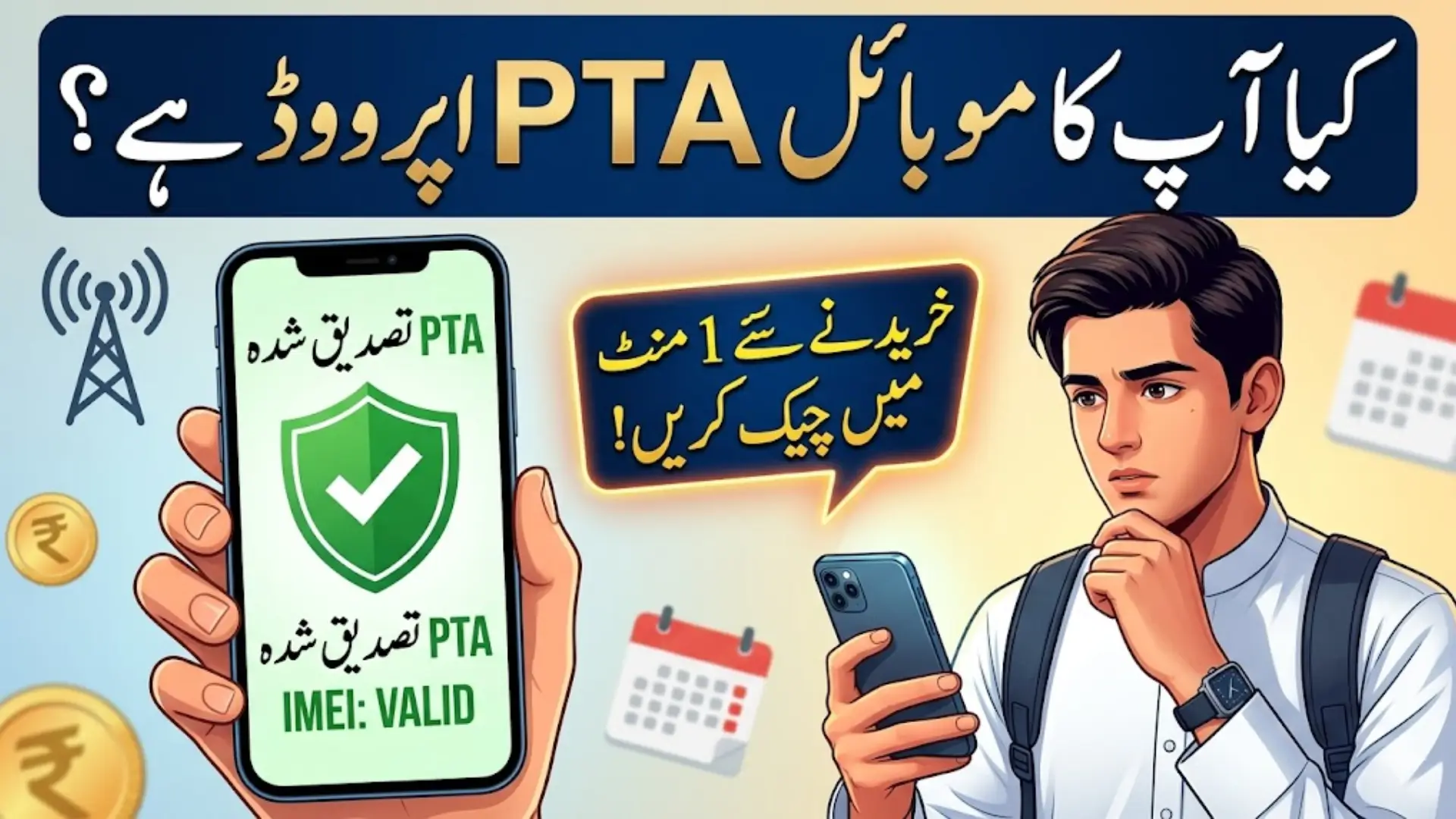
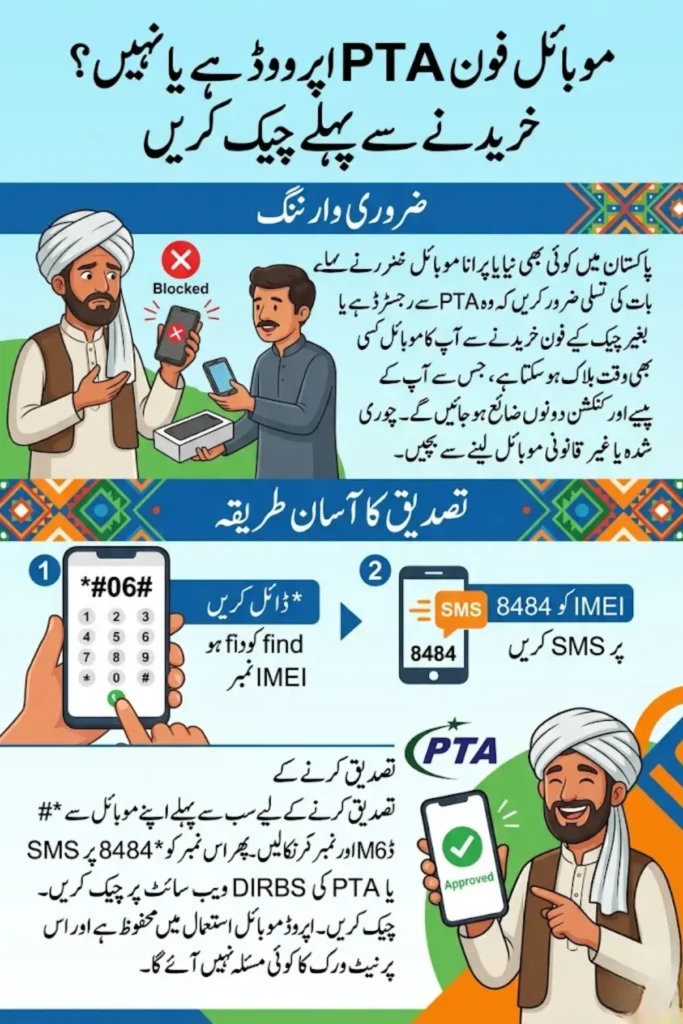
Buying a mobile phone in Pakistan without checking its legal status can lead to serious problems. Many people unknowingly purchase devices that are either non-approved or blocked, which results in loss of money and connectivity issues. This is why it has become essential to check PTA approved mobile status before making any purchase.
In 2026, verification has become simple and quick, allowing users to confirm their device status within minutes. With just an IMEI number, you can ensure your phone is safe to use on all networks.
- Helps avoid blocked or illegal devices
- Protects your investment
- Ensures uninterrupted network access
You Can Also Read: New Govt Female Jobs 2026 Online Apply – Latest Government Jobs for Women in Pakistan
What is IMEI and Why It Matters
IMEI stands for International Mobile Equipment Identity, a unique 15-digit number assigned to every mobile phone. It works like a digital fingerprint, meaning no two devices share the same IMEI. This number is used globally to identify and track mobile devices.
The IMEI plays a crucial role in security and verification processes. Authorities and telecom operators use it to monitor devices and prevent illegal usage.
- Identifies your device on mobile networks
- Helps track stolen phones
- Required for PTA verification
You Can Also Read: Nusuk Card Hajj 2026 – Mandatory Requirement for Pilgrims in Saudi Arabia
Why You Should Check PTA Approved Mobile Status
Checking PTA approved mobile status is necessary to ensure your phone is legally registered in Pakistan. Non-approved devices may initially work but can get blocked after a certain period, causing inconvenience and financial loss.
Verifying PTA status also protects you from fraud, especially when buying used phones. It ensures that the device meets regulatory requirements and is safe for use.
- Prevents purchase of illegal phones
- Avoids sudden network blocking
- Confirms legal device registration
What is PTA Approval and DIRBS System
PTA approval means that a mobile device is registered with the Pakistan Telecommunication Authority and allowed to operate on local networks. This system ensures that only legally imported or registered devices are used in the country.
The DIRBS (Device Identification Registration and Blocking System) is used to monitor and control mobile devices. It automatically blocks non-compliant phones after a certain time.
- Regulates mobile device usage
- Blocks unregistered devices
- Ensures compliance with telecom laws
You Can Also Read: New PTA Taxes for iPhone Series in Pakistan April 2026 – Updated Rates, Custom Values & Full Breakdown
Key Features of PTA Approved Mobile Devices
PTA approved phones offer smooth and uninterrupted connectivity across all mobile networks in Pakistan. These devices are verified and compliant with local regulations, making them safe for long-term use.
They also provide peace of mind to users, as there is no risk of sudden blocking. This makes them a reliable choice for both new and used phone buyers.
- Works on all Pakistani networks
- Legally registered devices
- No risk of blocking
You Can Also Read: www eobi gov pk registration check online 2026 – CNIC Login, Pension Status, Eligibility & Contributions Complete Guide
How to Find IMEI Number on Your Mobile
Before checking PTA approval, you need to find your phone’s IMEI number. This can be done easily using different methods available on all smartphones.
Each method is simple and takes only a few seconds. Users can choose the most convenient option based on their preference.
- Dial *#06# on your phone
- Check in Settings under About Phone
- Look on phone box or receipt
How to Check PTA Approved Mobile via SMS (8484 Method)
The SMS method is the easiest and fastest way to check PTA approved mobile status. It does not require internet access and works on all mobile networks.
Users simply need to send their IMEI number to a specific code and receive instant results. This method is widely used due to its simplicity.
- Open messaging app
- Type IMEI number
- Send to 8484
- Receive status reply
You Can Also Read: e learn she earn registration online login 2026 – Complete Guide for Eligibility, Free Digital Skills Training & Online Earning for Women in Punjab
How to Check PTA Approved Mobile via DIRBS Website
The DIRBS website provides a more detailed way to verify your mobile status. It allows users to check complete information related to their device.
This method is useful for those who want accurate and official verification directly from the system. It requires internet access but provides instant results.
- Visit official DIRBS portal
- Enter IMEI number
- Complete CAPTCHA
- Click on check option
You Can Also Read: e Learn She Earn Official Website 2026 – Registration, Eligibility, Free Digital Skills Training and Online Earning for Women
How to Check PTA Approved Mobile Using Apps
Mobile apps offer a convenient way to verify IMEI status quickly. The DIRBS DVS Android app is one of the trusted tools available for users.
These apps provide additional features such as tracking registration status and alerts for non-approved devices. However, users should only use official or trusted apps.
- Instant IMEI verification
- Easy-to-use interface
- Safe and secure checking process
How to Check if a Mobile is Stolen in Pakistan
Checking PTA approval is not enough; users should also verify whether the phone is stolen. Many stolen devices are sold at low prices, attracting buyers who are unaware of the risks.
A few simple checks can help avoid such problems and ensure a safe purchase. Verification through official methods is always recommended.
- Very low price compared to market
- Missing box or invoice
- Seller avoids sharing IMEI
You Can Also Read: e Learn She Earn Official Website 2026 – Registration, Eligibility, Free Digital Skills Training and Online Earning for Women
What Happens if Your Mobile is Not PTA Approved
If your mobile is not PTA approved, it may work temporarily but will eventually be blocked. This means you will not be able to use SIM services on your device.
However, users have the option to register their device by paying the required taxes. This allows them to continue using their phone legally.
- Temporary network access
- Permanent SIM blocking
- Option to register device
Public Notice and PTA Policy Overview
According to PTA policy, devices that were active on Pakistani networks before January 15, 2019, remain operational without interruption. These devices are linked with the user’s SIM for identification.
This policy ensures that older devices are not affected while maintaining strict control over new and imported phones.
- Pre-2019 devices remain active
- SIM pairing system applied
- Compliance required for new devices
You Can Also Read: New Govt Female Jobs 2026 Online Apply – Latest Government Jobs for Women in Pakistan
Pro Tips Before Buying a Used Mobile in Pakistan
Buying a used mobile requires careful verification to avoid fraud. Many people skip important checks and later face issues such as blocked devices.
Following simple precautions can help ensure a safe and secure purchase. Always verify the device before making payment.
- Check IMEI before buying
- Match IMEI with box
- Ask for original receipt
- Buy from trusted sellers
Common Mistakes to Avoid While Checking PTA Status
Many buyers make common mistakes when checking PTA status, which leads to poor decisions. Ignoring verification or trusting sellers without proof can cause serious issues.
Avoiding these mistakes can save both time and money while ensuring a safe purchase. Always rely on official verification methods.
- Skipping IMEI verification
- Trusting verbal claims
- Ignoring stolen status check
Cost Comparison Table for Better Understanding
| Feature | PTA Approved Phone | Non-Approved Phone |
|---|---|---|
| Network Access | (Permanent) | Limited / Blocked |
| Legal Status | Verified | Not Verified |
| Risk Level | Low | High |
| Long-Term Usage | Safe | Not Reliable |
IMEI Checking Methods Comparison
| Method | Requirement | Speed | Ease of Use |
|---|---|---|---|
| SMS (8484) | Mobile balance | Fast | Very Easy |
| DIRBS Web | Internet | Instant | Easy |
| Mobile App | Smartphone | Instant | Very Easy |
FAQs
How can I check PTA approved mobile via SMS?
Type your IMEI number in a message and send it to 8484. You will receive a reply with your device status.
Is IMEI checking free in Pakistan?
SMS checking may have a small charge, while the website method is usually free with internet access.
Can a blocked phone be approved again?
Yes, you can register the device by paying applicable PTA taxes to restore network access.
What if my phone has two IMEI numbers?
You must check both IMEI numbers separately, especially in dual SIM phones.
Conclusion
Checking PTA approved mobile status in Pakistan is an essential step before using or purchasing any phone. It helps ensure that your device is legal, secure, and fully functional on all networks.
With simple methods like SMS, DIRBS website, and mobile apps, verification has become quick and accessible. Always verify your IMEI before making a decision to avoid financial loss and inconvenience.
You Can Also Read: Nusuk Card Hajj 2026 – Mandatory Requirement for Pilgrims in Saudi Arabia