
Android 17 QPR1 Beta 3
Google has officially rolled out Android 17 QPR1 Beta 3 for eligible Pixel devices during Google I/O 2026. While the company focused heavily on Gemini AI announcements during the event, it quietly released this new beta update for Pixel users enrolled in the Android Beta Program. The update provides an early look at upcoming Pixel Feature Drop changes that are expected to arrive later this year.
Android 17 QPR1 Beta 3 mainly focuses on visual improvements, smoother animations, stability enhancements, and practical usability changes. Instead of introducing flashy features, Google has refined the Android experience with better interface design, improved screen recording behavior, and several important bug fixes. The update also gives users a glimpse of Android’s future design direction with more translucent and frosted-glass inspired visuals.
You Can Also Read: Pakistan Orders DISCOs to Clear Pending Solar Net Metering Applications Within 10 Days
Android 17 QPR1 Beta 3 Introduces Refined Material 3 Design
One of the biggest highlights of Android 17 QPR1 Beta 3 is the expansion of blur and translucency effects across the user interface. Google is continuing its Material 3 Expressive design language by introducing a frosted-glass style appearance in more areas of the operating system. Quick Settings panels and the power menu now include more visible blur effects that create a softer and cleaner visual experience.
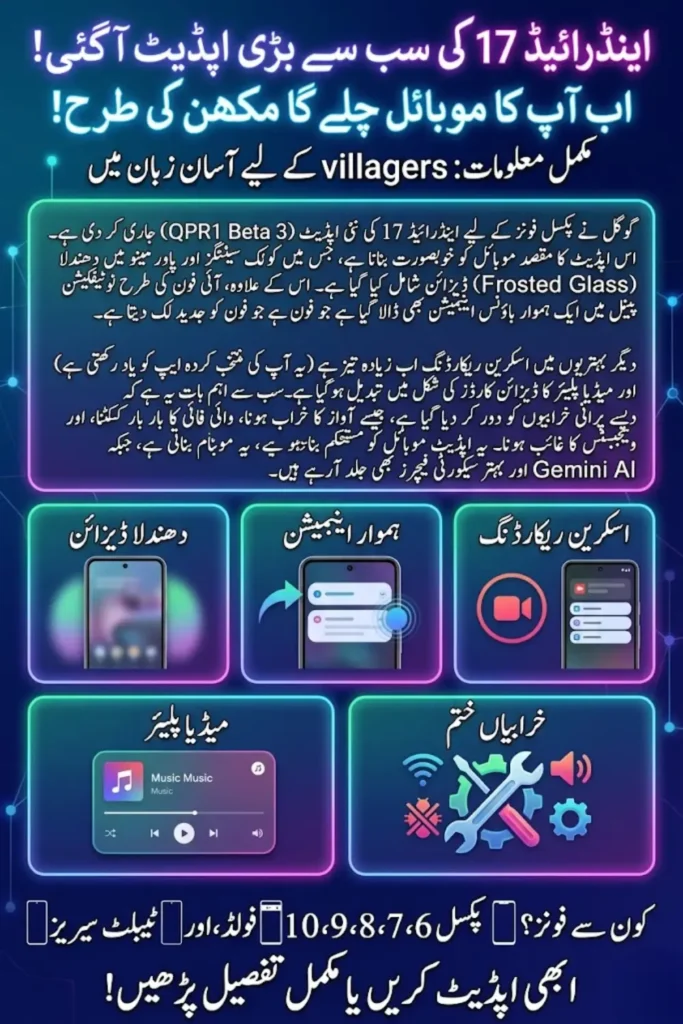
The design direction appears inspired by modern interface trends that focus on depth, layered transparency, and smooth motion effects. Earlier Android 17 beta versions already hinted at this design shift, but Android 17 QPR1 Beta 3 expands these visual elements much further. Google seems focused on making Android look more premium while keeping the interface simple and functional.
Key UI improvements include:
- Expanded blur effects across Android UI
- Frosted-glass appearance in Quick Settings
- Updated translucent power menu
- More polished Material 3 Expressive visuals
Android 17 QPR1 Beta 3 Adds Bounce Animation to Quick Settings
Google has introduced a new bounce-back animation in the Quick Settings panel. When users pull down the Quick Settings shade, the interface now displays a smooth rubber-band style motion effect similar to animations commonly seen on iPhones. This subtle animation improves the feeling of responsiveness and adds a more fluid interaction experience.
Although the feature is small, it contributes to Android’s growing focus on refined animations and motion design. Google is paying more attention to small user interface details that users interact with every day. The animation gives Android 17 QPR1 Beta 3 a more modern and polished appearance without changing the overall layout of the system.
You Can Also Read: Evee Giga Factory Launched to Boost Electric Mobility in Pakistan
Android 17 QPR1 Beta 3 Visual Changes
| Feature | Improvement |
|---|---|
| Quick Settings | Added bounce-back animation |
| Power Menu | More blur and transparency |
| Material Design | Frosted-glass interface style |
| UI Motion | Smoother transitions |
Android 17 QPR1 Beta 3 Improves Screen Recording
Google has also improved the built-in screen recording feature in Android 17 QPR1 Beta 3. Previously, users had to repeatedly select the app they wanted to record every time they started a screen recording session. The latest beta update now remembers the previously selected app, making the process faster and more convenient.
This improvement may appear simple, but it greatly benefits creators, gamers, educators, and users who regularly record tutorials or demonstrations. Instead of adding unnecessary complexity, Google is focusing on practical changes that improve everyday usability and reduce repetitive tasks.
Screen recording improvements include:
- Remembers previously selected app
- Faster recording setup process
- Better workflow for creators
- Improved convenience for daily users
You Can Also Read: Bahria University Students Offered 20 Media Internship Opportunities at Media Fest Spring 2026
Android 17 QPR1 Beta 3 Redesigns Media Player Interface
The media player in Android 17 QPR1 Beta 3 now uses a card-based interface inspired by Material 3 design principles. The updated layout appears cleaner and more organized while improving navigation between multiple media apps. Google has also integrated Material 3 carousel behavior into the media controls.
Another noticeable improvement is the more compact output switcher. Users can now switch between speakers, Bluetooth devices, and other audio outputs more efficiently. These updates help create a cleaner and more user-friendly multimedia experience across Android devices.
Android 17 QPR1 Beta 3 Focuses on Stability and Bug Fixes
Alongside visual updates, Android 17 QPR1 Beta 3 resolves several major issues reported by users in earlier beta versions. Google fixed audio playback problems that caused crackling and distorted sound during media playback. The update also resolves Wi-Fi connection issues where devices disconnected even when signal strength was strong.
The company also fixed bugs affecting home screen widgets, Airplane Mode behavior, and full-screen applications. These improvements show that Google is now concentrating on polishing Android 17 before the stable public release arrives later this year.
Major bug fixes include:
- Audio distortion during media playback fixed
- Wi-Fi disconnection issue resolved
- Home screen widget problems corrected
- Airplane Mode icon bug fixed
Important Android 17 QPR1 Beta 3 Bug Fixes
| Issue | Status |
|---|---|
| Distorted media audio | Fixed |
| Random Wi-Fi disconnects | Fixed |
| Missing widgets after reboot | Fixed |
| Mobile data icon issue | Fixed |
| Full-screen UI problems | Fixed |
Android 17 QPR1 Beta 3 and Gemini AI Integration
Although Android 17 QPR1 Beta 3 mainly focuses on interface and stability improvements, Google has already confirmed that Gemini AI will play a major role in Android 17. Future updates are expected to introduce more AI-powered personalization features, contextual assistance, and intelligent automation tools.
Google also announced Continue On, which functions similarly to Apple’s Handoff feature. This feature allows users to continue tasks between Android devices such as phones and tablets. Initially, it will support Chrome and Google Docs before expanding to more apps and services in future updates.
You Can Also Read: Honda HR-V e:HEV Hybrid SUV Gets Massive Discount and 0% Financing in Pakistan
Android 17 Security and Privacy Enhancements
Android 17 continues Google’s strong focus on privacy and security improvements. The operating system introduces a new anti-spoofing feature designed to protect users from scam calls by checking suspicious numbers against banking applications. Chrome Safe Browsing can also analyze APK files before installation to identify potential malware threats.
Google is also improving theft protection by requiring stronger authentication methods that combine biometrics with PIN or passcode verification. In addition, Android 17 allows users to grant temporary precise location access to apps on a one-time basis, giving users greater control over privacy.
Android 17 QPR1 Beta 3 Supported Devices
Android 17 QPR1 Beta 3 is currently available for Pixel smartphones and tablets enrolled in the Android Beta Program. Devices from the Pixel 6 series and newer are eligible to receive the update over the air. Google released two separate build versions depending on the device generation.
The supported devices include Pixel 6, Pixel 7, Pixel 8, Pixel 9, Pixel 10 series, Pixel Fold, and Pixel Tablet models. Users already enrolled in earlier QPR beta builds should automatically receive the latest update through system settings.
Supported Pixel Devices
| Supported Devices |
|---|
| Pixel 6 Series |
| Pixel 7 Series |
| Pixel 8 Series |
| Pixel 9 Series |
| Pixel 10 Series |
| Pixel Fold |
| Pixel Tablet |
You Can Also Read: Pakistan Squad for Australia ODI Series 2026 Announced as Mohammad Rizwan Misses Selection
Android 17 Stable Release Expectations
Google has already moved Android 17 into platform stability status, meaning core APIs and system behavior are mostly finalized. The company is now focusing on refinement, optimization, and feature polishing ahead of the stable release expected later this summer.
Android 17 QPR1 Beta 3 demonstrates that Google is prioritizing smoother interactions, improved reliability, and practical usability improvements. Future QPR updates are expected to continue refining Android’s visual identity while expanding Gemini AI integration across the operating system.
Conclusion
Android 17 QPR1 Beta 3 may not introduce dramatic changes, but it significantly improves the overall Android experience through smoother animations, better interface visuals, practical usability upgrades, and important bug fixes. Google’s focus on blur effects, refined motion design, and cleaner layouts shows the company’s intention to modernize Android’s appearance without sacrificing functionality.
The update also highlights Google’s broader strategy of combining polished design with future AI-powered experiences through Gemini integration. As Android 17 moves closer to its stable launch, Android 17 QPR1 Beta 3 provides Pixel users with a strong preview of what to expect in upcoming Feature Drops.
You Can Also Read: Xiaomi 17 Pro Max Review: A Powerful Flagship With Dual Displays and Snapdragon 8 Elite Gen 5
FAQs
What is Android 17 QPR1 Beta 3?
Android 17 QPR1 Beta 3 is a Quarterly Platform Release beta update for Pixel devices that previews future Pixel Feature Drop improvements.
Which devices support Android 17 QPR1 Beta 3?
The update supports Pixel devices from the Pixel 6 series and newer, including Pixel Fold and Pixel Tablet models.
What new features are included in Android 17 QPR1 Beta 3?
The update adds blur effects, bounce animations, improved screen recording, redesigned media controls, and several important bug fixes.
Does Android 17 QPR1 Beta 3 improve performance?
Yes, the update improves stability by fixing audio issues, Wi-Fi disconnect problems, widget bugs, and other system-related issues.
What is the Continue On feature in Android 17?
Continue On allows users to transfer tasks between Android devices, similar to Apple’s Handoff feature for seamless productivity.
You Can Also Read: Islamabad Summer Vacations 2026 Announced for Private and Public Educational Institutions